Launching Obserra Client Modifications - Save Time With New YouTube Productivity Customizations
Our latest update gives you direct control over YouTube's most distracting features. Manage your YouTube experience and boost focus with 10 brand-new customization options.
Content
- Introduction
- How to Edit Client Modifications
- Homepage Modifications
- Video Modifications
- Other Modifications
- Conclusion
Introduction
Obserra has always been an effective productivity extension designed to remove distractions by setting limits on how you spend time on YouTube. Today, we're excited to introduce Obserra Client Modifications, a new way to customize your YouTube experience.
These modifications let you directly adjust what appears while you browse YouTube, allowing you to hide features that may be silently consuming your time. Even if you're not fully aware of what's keeping you hooked, these options give you the control to change it.
There are currently ten modifications available, organized by where they apply: on the YouTube homepage, while watching videos, or across other areas of the platform.
How to Edit Client Modifications
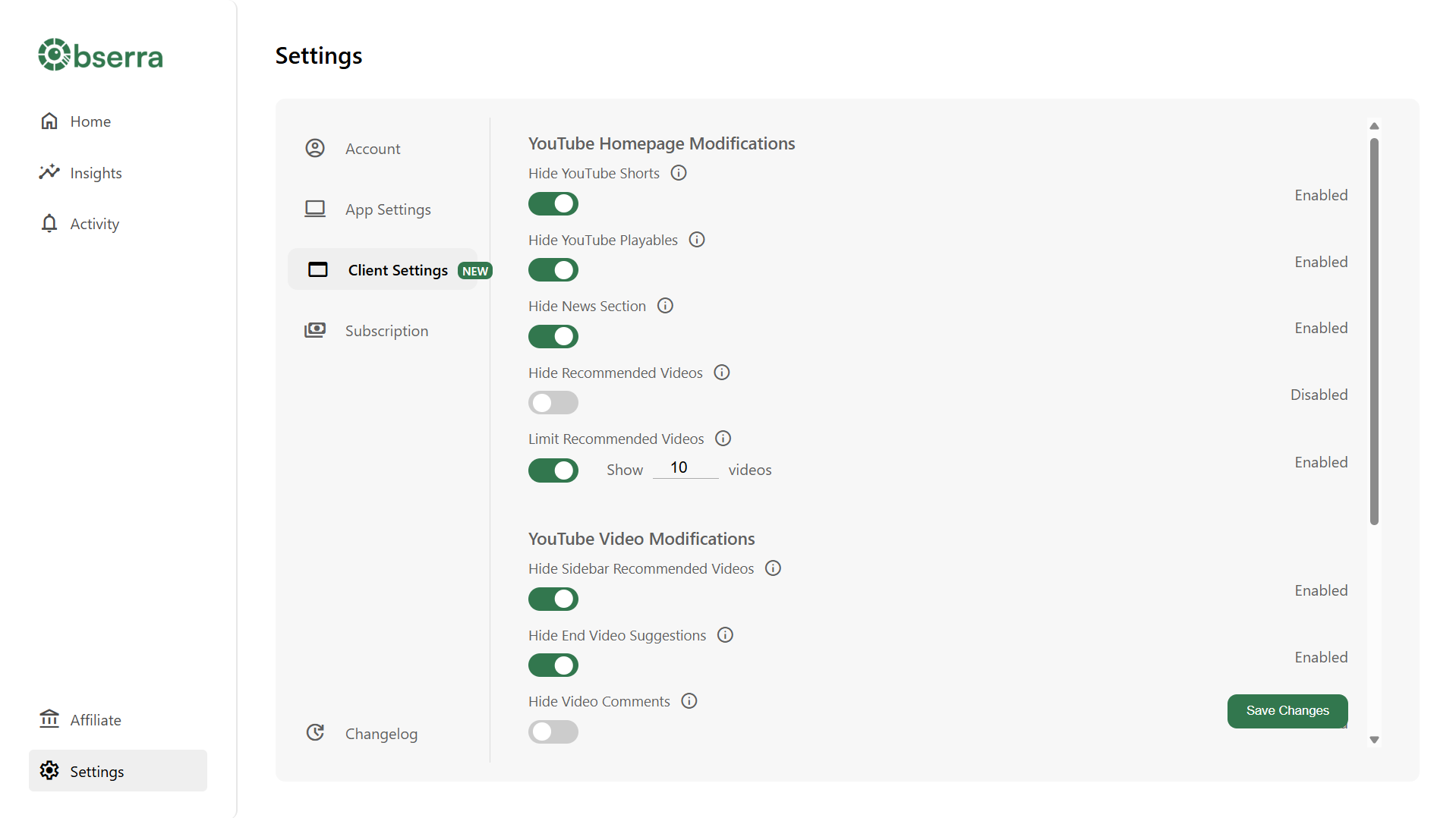
Setting up Client Modifications couldn't be simpler. Just head to the Settings page and select the modifications you'd like to apply to your YouTube experience. All settings will help your time management on YouTube.
Homepage Modifications
The YouTube homepage is one of the biggest sources of distraction. You're instantly presented with an endless feed of videos selected to keep you watching, often longer than you intended. These modifications help you take back that control, so you can decide how and when you engage with content rather than falling into the endless scroll.
- Hide YouTube Shorts - YouTube often displays enticing Shorts on the homepage that can quickly lead to watching "just one more." Enabling this hides Shorts entirely from the homepage feed.
- Hide YouTube Playables - YouTube now offers browser-based games, which can also pull you away from your focus. This option removes them from your homepage.
- Hide Breaking News - Removes the Breaking News section that may appear on the homepage.
- Hide Recommended Videos - Removes all video recommendations from your homepage feed so you can focus on purposeful viewing through search or your subscription list.
- Limit Recommended Videos - If you still want some video recommendations, but don't want to endlessly scroll to find one you can limit the amount of videos which appear when you visit YouTube.
Video Modifications
Even while watching a YouTube video, you're constantly shown new distractions that encourage you to keep watching. This can quickly eat up your time, but video client modifications help prevent that by removing the most distracting elements from YouTube video pages.
- Hide Sidebar Recommended Videos - Removes suggested videos that appear beside the video player.
- Hide End Video Suggestions - Disables recommendations that pop up at the end of a video.
- Hide Video Comments - Hides the comments section to minimize distraction.
- Limit Video Comments - Keeps the comment section visible but restricts how many comments load by default.
Other Modifications
These settings apply across YouTube, enhancing focus and reducing visual temptation sitewide.
- Disable YouTube Shorts - Completely removes Shorts from YouTube, preventing them from appearing or playing anywhere on the platform.
- Black and White Filter - Adds a grayscale filter to YouTube, reducing the visual stimulation that often makes the site so engaging. This subtle change helps make your experience more deliberate and less driven by impulse.
Conclusion
Obserra Client Modifications offer a powerful way to improve your YouTube habits by removing the features that distract you most while on YouTube. Take control of your time and start focusing on what truly matters. Set up your Obserra Client Modifications now.
Keep Reading
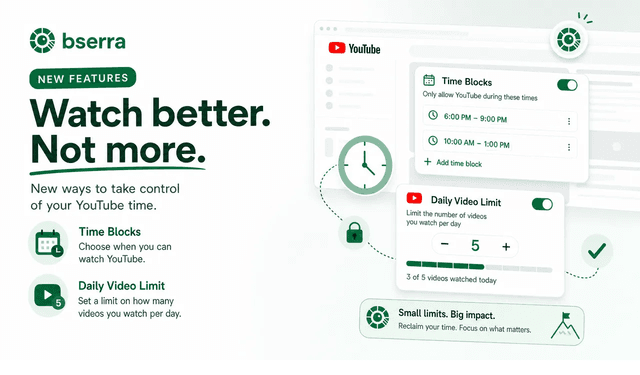
Obserra Update: Time Blocks and Daily Video Limits for YouTube
Discover Obserra's new Time Blocks and Daily Video Limits features to limit time on YouTube, block distractions, and build better viewing habits.
How To Set a YouTube Time Limit To Boost Productivity
Learn how to set a YouTube time limit to take back control of your time and boost productivity. This guide shows you how to manage your viewing habits on YouTube effectively.


