Obserra Adds YouTube Time Blocks and Daily Video Limits
Discover Obserra's new Time Blocks and Daily Video Limits features to limit time on YouTube, block distractions, and build better viewing habits.
Content
Introduction
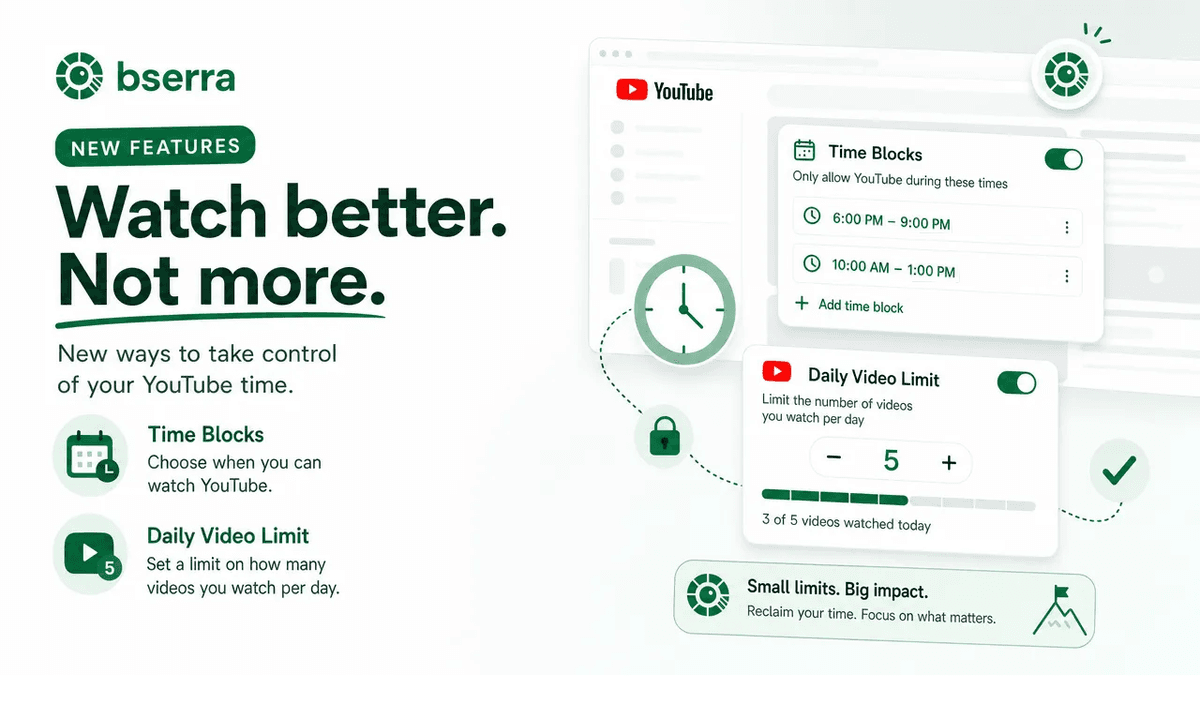
Today's Obserra update brings two powerful new ways to help you limit time on YouTube and stay focused throughout the day.
Obserra has always helped users take control of their YouTube habits with tools like daily limits, genre limits, and channel limits. But sometimes, limiting overall usage is not enough. You may still end up watching YouTube during the exact hours when you need to be working, studying, or focusing on something important.
That's why we're excited to introduce Time Blocks and Daily Video Limits, two new features designed to give you more control over when and how you use YouTube.
Whether you want to block YouTube during work hours, avoid distractions while studying, or reduce binge-watching one video at a time, this update gives you more practical ways to stay intentional with your time.
Time Blocks
One of the biggest challenges with YouTube is that even "small" viewing sessions can happen at the worst possible times.
You might be staying within your daily limit overall, but if you're using that time during work, class, meetings, or study sessions, it can still seriously hurt your productivity. Until now, this was a gap in how time limits worked.
With Time Blocks, you can now choose specific times of day when YouTube is completely blocked.
This is ideal for:
- work hours
- study sessions
- meetings
- deep focus time
- evening routines
- any period when you know you're most likely to get distracted
Instead of relying on willpower, you can create a schedule that protects your attention automatically.
How Time Blocks work
Once enabled, Time Blocks prevent watching YouTube videos during the time periods you choose. If you know you tend to open YouTube during certain parts of the day, you can now block it before it becomes a distraction.
How to set up Time Blocks
Setting up Time Blocks is simple:
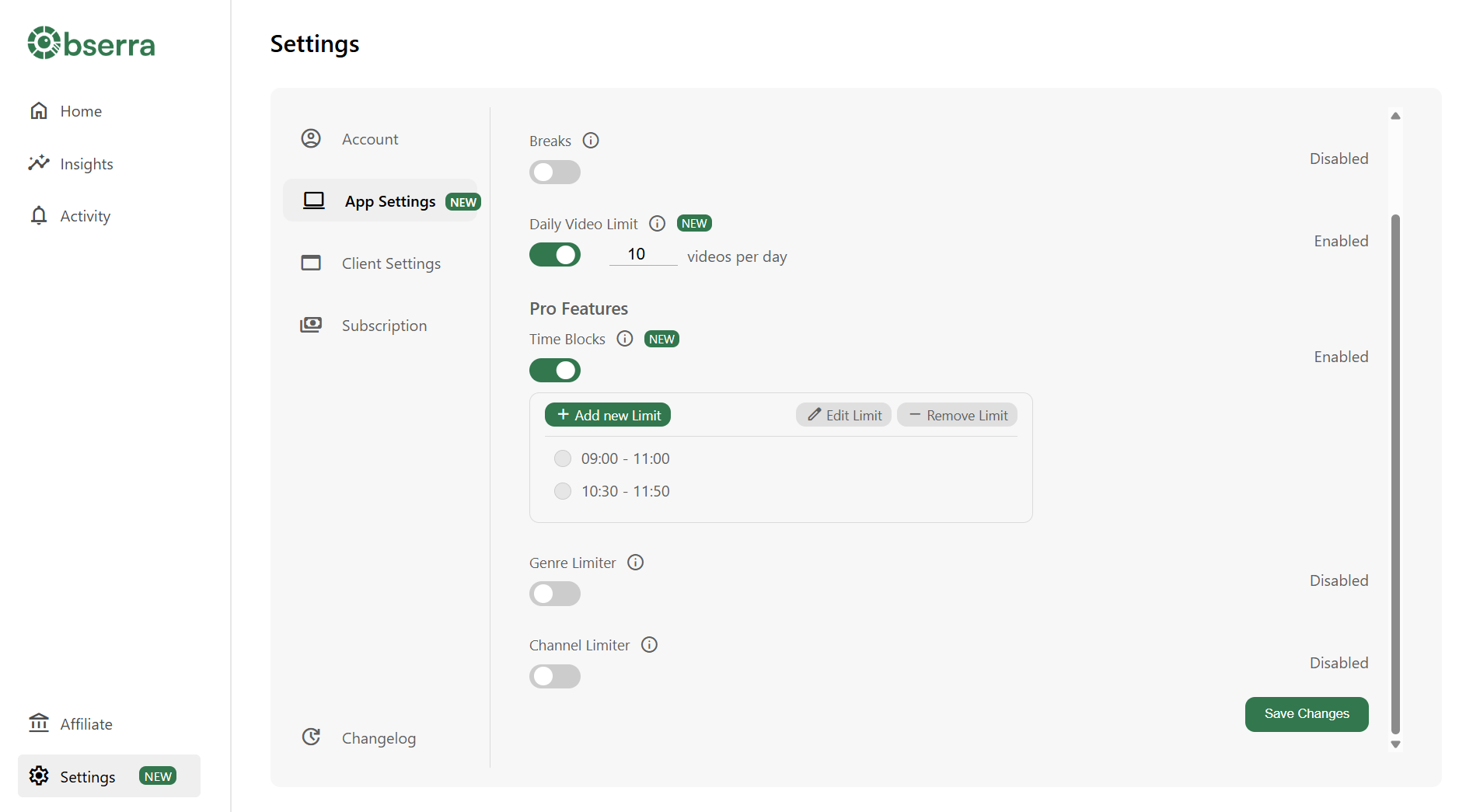
- Open the Settings page in Obserra
- Enable Time Blocks (Pro required)
- Add a new block
- Choose the days and times when you want YouTube blocked
That's it. Once your blocks are active, Obserra helps you stay focused without having to constantly self-monitor.
Daily Video Limits
Time spent on YouTube is not only about minutes, it's also about momentum.
Sometimes the problem isn't one long viewing session. It's watching "just one more video" over and over again. A short video leads to another, then another, and before you know it, you've lost far more time than you intended.
That's where Daily Video Limits come in.
With this feature, you can set a limit on how many videos you watch each day. Once you reach that number, YouTube is blocked for the rest of the day.
This gives you a simple and effective way to break binge-watching habits and be more mindful about what you choose to watch.
Why Daily Video Limits help
Daily Video Limits are especially useful if:
- you tend to binge short videos
- you want to be more intentional about what you watch
- time-based limits don't fully stop overuse
- you often lose time to recommendations and autoplay
Rather than only tracking time, this feature helps control the number of times you fall into the next-video loop.
How to set up Daily Video Limits
To enable Daily Video Limits:
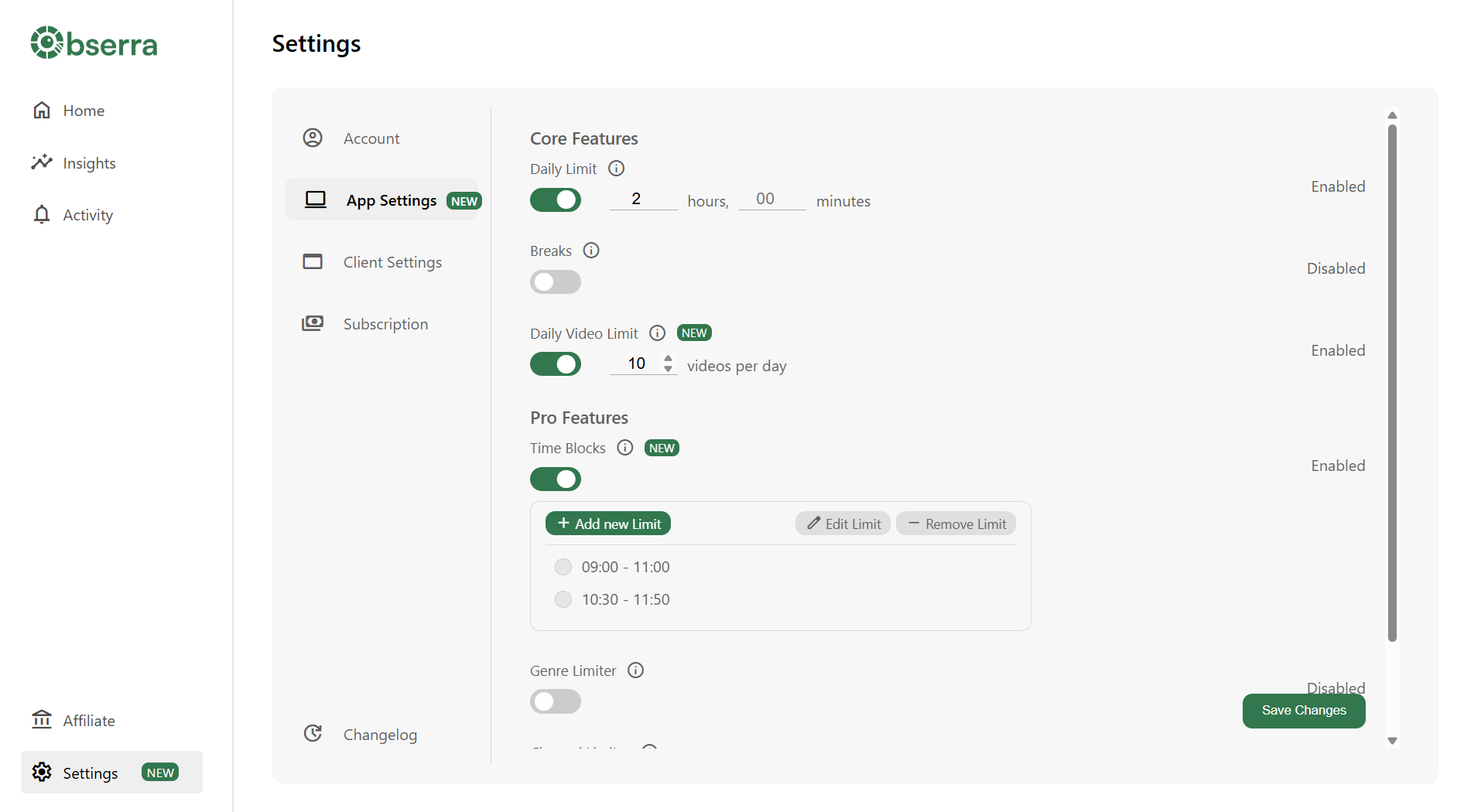
- Open the Settings page in Obserra
- Turn on Daily Video Limits
- Choose how many videos you want to allow per day
Once you hit your limit, Obserra will block further YouTube viewing until the next day.
Feedback and Suggestions
We want Obserra to keep improving based on real user needs. If you have feedback, feature requests, or ideas for how we can make YouTube control even better, we'd love to hear from you.
In fact, Daily Video Limits was originally suggested by a user, and now it's available worldwide.
To share feedback, open Settings, go to Changelog, and select Feedback, or email us at [email protected].
Conclusion
With Time Blocks and Daily Video Limits, Obserra gives you more precise control over your YouTube habits than ever before.
If you want to:
- block YouTube during work
- reduce binge-watching
- stay focused while studying
- build healthier viewing habits
- stop wasting time on YouTube
This update is designed for you.
Try the new features today and make YouTube fit your schedule, instead of the other way around.
Keep Reading
How to Block YouTube on a Chromebook (Personal & School)
Block YouTube on a Chromebook with an extension, Family Link, DNS or your router. Step-by-step guide, plus what works on a school-managed Chromebook.
Read article
How to Block YouTube on Windows 11 (and Windows 10)
Block YouTube on Windows 11 or 10 with an extension, Microsoft Family Safety, the hosts file or DNS. Step-by-step instructions and which method actually works.
Read article
How to Block YouTube on a Mac (Safari, Chrome and System-Wide)
Block YouTube on your Mac in Safari, Chrome or every browser. Compare Screen Time, the hosts file and a browser extension, with step-by-step instructions.
Read article


